








Blog
CraftMyPDF vs DocuSign vs PandaDoc: Which eSignature API Should Developers Choose in 2026?
DocuSign, PandaDoc or CraftMyPDF? Compare eSignature API pricing, webhooks, embedded signing, eIDAS levels and the steps from data to a signed PDF.
This website uses cookies to improve your experience while you navigate through the website. Out of these, the cookies that are categorized as necessary are stored on your browser as they are essential for the working of basic functionalities of the website. We also use third-party cookies that help us analyze and understand how you use this website. These cookies will be stored in your browser only with your consent. You also have the option to opt-out of these cookies. But opting out of some of these cookies may affect your browsing experience.
Necessary cookies are absolutely essential for the website to function properly. These cookies ensure basic functionalities and security features of the website, anonymously.
Functional cookies help to perform certain functionalities like sharing the content of the website on social media platforms, collect feedbacks, and other third-party features.
Performance cookies are used to understand and analyze the key performance indexes of the website which helps in delivering a better user experience for the visitors.
Analytical cookies are used to understand how visitors interact with the website. These cookies help provide information on metrics the number of visitors, bounce rate, traffic source, etc.
Advertisement cookies are used to provide visitors with relevant ads and marketing campaigns. These cookies track visitors across websites and collect information to provide customized ads.
Other uncategorized cookies are those that are being analyzed and have not been classified into a category as yet.
CraftMyPDF supports RESTful API integration. The integration with REST API makes it easy to auto create PDF reports in your application.
Weekly summaries, financial statements and client reports are the same layout every period with new numbers. Pull them from your database, analytics platform or spreadsheet into a designed template with tables, charts and page headers.
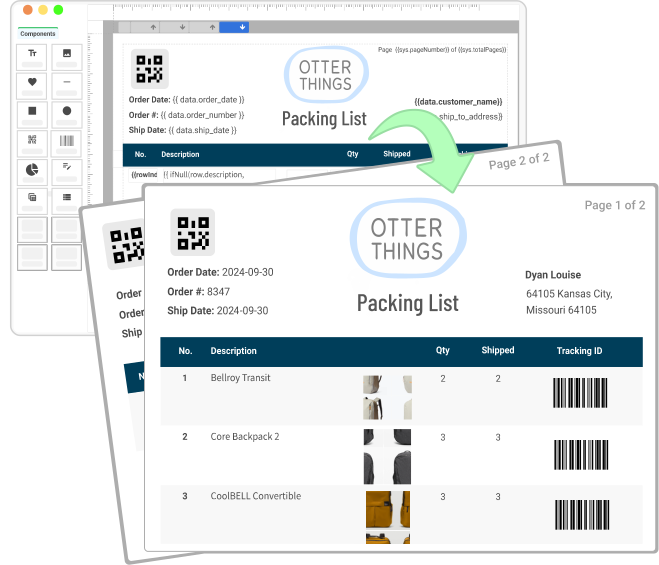
Design the template once in our drag-and-drop editor, then POST your JSON — your PDF reports come back with tables, images, barcodes and QR codes rendered from your data. Any language that speaks HTTP works, with no PDF library to maintain.
*No Credit-card Required!
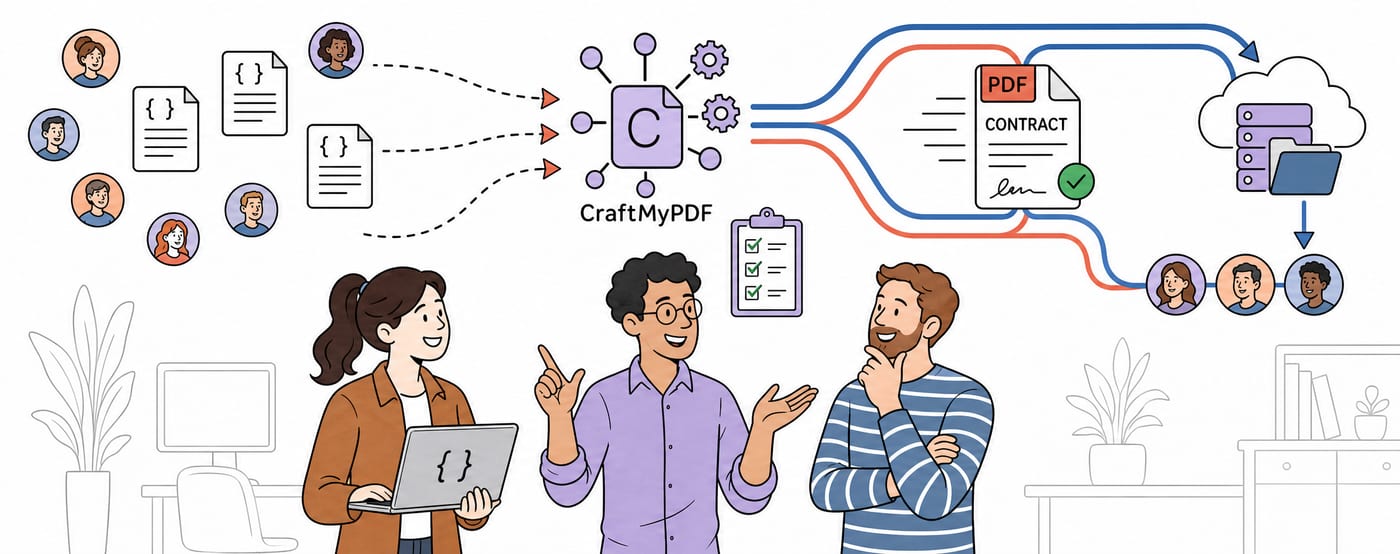
Three simple steps to automate your document or image generation with any programming language:
Automation for PDF & image generation has never been easier!
Prefer a different tool? Automate the same workflow with Make.com or Zapier.
Design professional PDF templates visually with our easy-to-use editor. Add text, images, QR codes, barcodes, shapes, tables, charts, and more.
moreAI and computer vision detect fields in your existing PDFs, identify the expected data type, and generate clear labels for easier mapping and automation.
Video tutorialFormat dates, currencies, numbers, and text with built-in expressions. Need more advanced logic? Extend your templates with custom JavaScript functions.
moreGenerate and store PDFs closer to your users with regional endpoints. Available in the US, EU, Singapore, and Australia to support data residency and lower latency.
moreOur cloud-based API helps you to generate PDF documents or images. We support synchronously or asynchronously PDF generation scale without the costs of maintenance.
API ReferenceAutomate document workflows with Zapier, Make, Bubble, Coda, and REST API integrations. Connect CraftMyPDF to the tools your team already uses.
moreCreate interactive PDF forms with fillable components in the drag-and-drop editor. Add text fields, checkboxes, dropdowns, radio buttons, and signature fields with ease.
moreCraftMyPDF has successfully completed its SOC 2 Type II audit to support teams that need stronger security, reliability, and operational trust.
Enterprise featuresOur drag & drop editor lets you design templates in any browser and generate pixel-perfect PDF documents and images from pre-defined templates and JSON data.
No code required! Our advanced editor allows you to easily create new PDFs by dragging and dropping the elements into your PDF templates.
You can create PDF documents easily such as invoices, reports, delivery notes that reflect your brand.
If you are still converting HTML code to PDFs and looking for an easy way to create PDF documents – Our PDF template editor does not require HTML or CSS knowledge.
CraftMyPDF helps you design reusable PDF templates and generate polished documents from JSON data using API, Make, or Zapier.
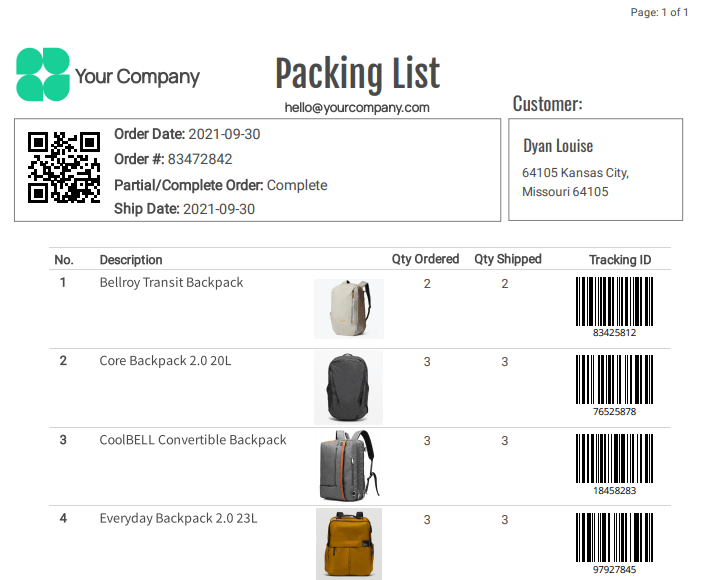
Call the PDF Generation API and Image Generation API from the tools your team already runs — Zapier, Make.com, n8n, Bubble.io and more — with no glue code to maintain.
One template, one JSON payload. Send data from a Zapier zap, a Make.com scenario, an n8n workflow or your own backend — every integration calls the same endpoint.
Run it synchronously for on-screen downloads or asynchronously for batches, with request data and generated files kept in your chosen region: US, EU, Singapore or Australia.
Browse all integrationscurl -X POST \
--header "Content-Type: application/json" \
--header 'X-API-KEY: 7832MjA6MTE6UjlkM3h4emxpTExzeFR0aQ=' \
--data '{"template_id": "05f77b2b18ad809a", "export_type":"json", "expiration": 10, "output_file":"my_new.pdf", "data": "{ \"invoice_number\": \"INV38379\", \"date\": \"2021-09-30\", \"currency\": \"USD\", \"total_amount\": 82542.56 }", "output_file": "output.pdf"}' \
"https://api.craftmypdf.com/v1/create"const res = await fetch("https://api.craftmypdf.com/v1/create", {
method: "POST",
headers: {
"Content-Type": "application/json",
"X-API-KEY": "7832MjA6MTE6UjlkM3h4emxpTExzeFR0aQ=",
},
body: JSON.stringify({
template_id: "05f77b2b18ad809a",
export_type: "json",
expiration: 10,
output_file: "output.pdf",
data: { invoice_number: "INV38379", date: "2021-09-30", currency: "USD", total_amount: 82542.56 },
}),
});
const { file } = await res.json(); // URL of the generated PDFimport requests
res = requests.post(
"https://api.craftmypdf.com/v1/create",
headers={
"Content-Type": "application/json",
"X-API-KEY": "7832MjA6MTE6UjlkM3h4emxpTExzeFR0aQ=",
},
json={
"template_id": "05f77b2b18ad809a",
"export_type": "json",
"expiration": 10,
"output_file": "output.pdf",
"data": {"invoice_number": "INV38379", "date": "2021-09-30", "currency": "USD", "total_amount": 82542.56},
},
)
print(res.json()["file"]) # URL of the generated PDFNative integrations, plus a REST API for everything else.
Trusted by individual developers and businesses, we have generated over 10 millions of high-quality PDFs!
 Derrick Hayworth Owner
Delivuh.com
I'm beyond amazed at the capabilities of CraftMyPDF and even more so with the staff. Very prompt with support and beyond helpful. They've helped me with certain capabilities that help to automate key aspects of my business which in turn will help me grow.
 Albert Brückmann Founder
After exploring many options, we chose CraftMyPDF for its unmatched flexibility and integration ease. What truly stands out is the exceptional support from Jacky, whose dedication and customer care greatly impressed us. He played a key role in adapting the software for a German interface and custom features, offering value we rarely see. Additionally, its affordable pricing allows for scalable growth. CraftMyPDF stands as a top software investment for us, enhancing our ability to capture life stories in books with beautiful covers.
 Vincent Buccarello Co-founder
Solariooz.de
We've been using CraftMyPDF for a while now, and it's been a brilliant choice. The platform's user-friendly nature allowed us to get started immediately, bypassing the complexities and time consumption of developing our own templates and integrating with a PDF generation library. The time savings are huge for us, cutting down about 5 minutes per document. Additionally, their exceptional and quick support stands out, always ready to assist.
 Mirco Manara Project Manager
We absolutely love CraftMyPDF! The editor is easy to use and extremely versatile - we were able to customize it to fit our specific needs. The support is top-notch. They were able to help us solve many problems and were also willing to implement new solutions to improve the functionality of the tool and meet our needs. I would highly recommend this software to anyone!
 FG Laroze Project Manager
CraftMyPDF made creating professional PDFs incredibly simple! The drag-and-drop interface allows easy template design without coding, though you can still use CSS or JS if needed. The API integration is fantastic, letting me connect CraftMyPDF to other apps for automatic data filling. It saves so much time and eliminates manual entry! 🙌 Their support is excellent—Jacky was super helpful and patient in setting everything up. If you’re looking for customizable PDF generation, CraftMyPDF is a must-try!
 Sherif
Plntd.ae - Indoor Plants in UAE
Craftmypdf is a fantastic piece of software! It saves us a lot of time, as we're able to automatically generate invoices, receipts, order lists, etc. The customer support is also excellent; The founder was able to get on a zoom call with us and help us navigate the software, recommend a solution for what we were looking to do 5/5 would highly recommend!
 Kampol CEO
We've been using CraftMyPDF for a while now, and we couldn't be more pleased with the results. The platform is incredibly user-friendly, making it easy to integrate into our solutions. Their team is responsive and quick to address our requests, which has been invaluable in saving us considerable development time. We highly recommend CraftMyPDF to anyone looking for an efficient, reliable solution!
 Martijn Crajé Founder
Thanks to CraftmyPDF SlimPensioneren is capable of sending thousands of PDF's to all of our clients effortlessly and within seconds. The platform is easy to work with,very reliable and contains all the functionalities which you should expect. The support is remarkable and personal with Zoom calls whenever issues require further clarification to get resolved. We highly recommend CraftmyPDF and give it a 5 star rating.
 Iskender Emre Gül Civil Engineer
I found CraftMyPDF to be extremely user-friendly. The template editor is very straightforward and easy to navigate. I had a few questions while I was using the services and the support was responsive and very helpful. Overall, I was very pleased with my experience using CraftMyPDF.
 E. Martin Founder
The tools from CraftMyPDF are extensive and feature complete, making my day easier and my product more accessible in the marketplace. I'm really impressed with the support I've received from this company. They are quick to respond and actually answer the question I asked.
 Victor N CTO
Ottho.fr
CraftMyPDF is a perfect tool to plug into our other no-code tools. It's easy to use and provide good results. The main takeaway for us was the support, cheerful, fast, and dedicated. Really makes a difference. Thanks!
DocuSign, PandaDoc or CraftMyPDF? Compare eSignature API pricing, webhooks, embedded signing, eIDAS levels and the steps from data to a signed PDF.
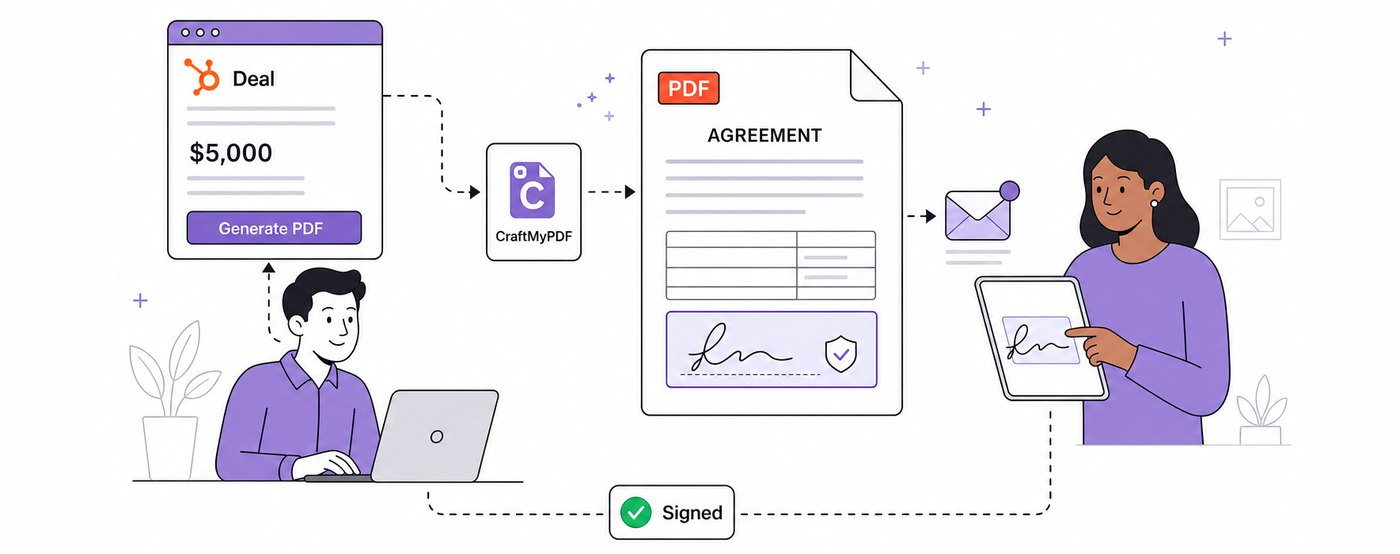
Send HubSpot deal documents for eSignature straight from the Deal record: install the CraftMyPDF app, build a signature-ready template, and track signed PDFs.
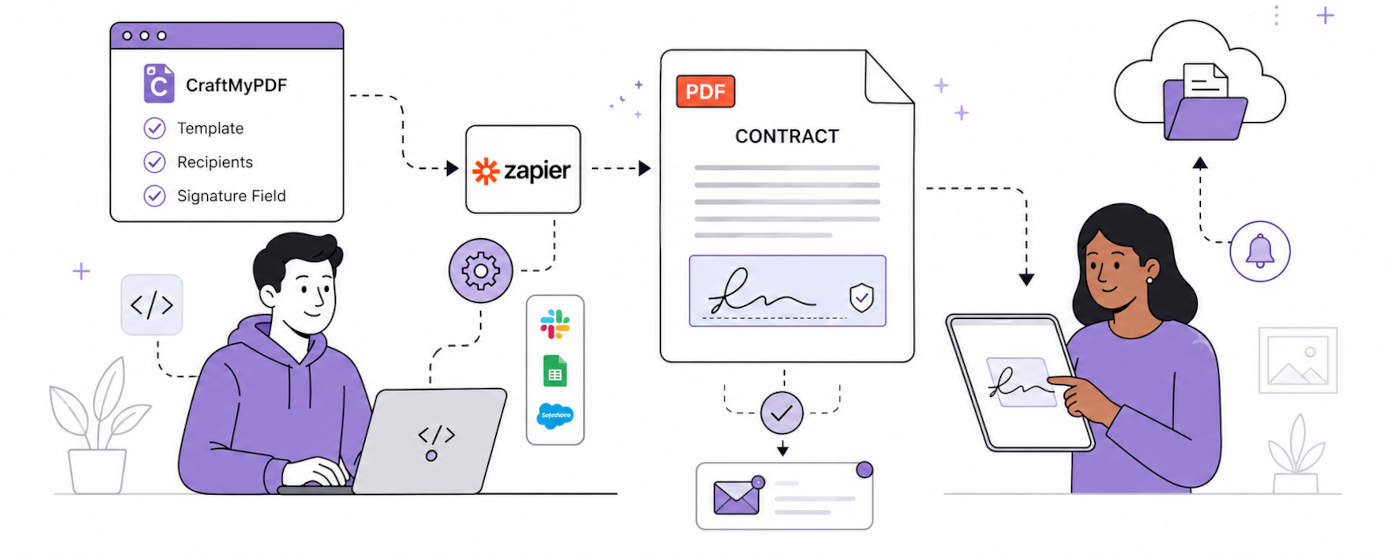
A step-by-step guide to sending contracts for eSignature automatically: build the template once, trigger it from Zapier, track signing status in CraftMyPDF.
You build the report layout once in the editor and place the tables, charts and headings where you want them. From then on, your app sends the figures as JSON with the template ID and gets the finished PDF back. The figures can come from a database, an analytics tool or a spreadsheet. You only open the editor again when you want to change how the report looks.
Both. The editor includes bar, line, area, pie and donut charts, and each one is drawn from the data you send, so every report gets its own chart with nobody touching a design tool. Tables get longer as you add rows, and page headers repeat so a long report stays easy to read.
Yes. Send the whole batch in async mode, let the PDFs generate in the background and pick up the files when they are done. If your data sits in a spreadsheet, the free PDF tools have a bulk generator that makes one PDF from each CSV row, a simple way to try the idea before anyone writes code.
Not for reports specifically. The ready-made templates cover things like certificates, tickets and a receipt template, which are useful for seeing how a layout fills in from data. For a report, start with a blank template, drop in the table and chart blocks, and arrange them how you like.
Sales teams for weekly pipeline reports, marketing teams for campaign summaries, logistics for shipment reports, schools for student results and real estate firms for property reports. Each has its own page under industries showing the usual documents and how the workflow is set up.
In the region you pick: US, EU, Singapore or Australia. The data you send and the PDFs that come back both stay in that region, which matters if your company has rules about where data can live. To see everything the editor and API can do, from expressions and custom JavaScript to the web-based report designer, go to features.
Design templates in your browser and generate pixel-perfect PDFs through a simple REST API or your favourite no-code platform.
*No Credit-card Required!