Table of Contents

Make.com: Automate PDF Creation with CraftMyPDF

With CraftMyPDF’s PDF Generation API and Make.com integration, you can easily automate your workflow to create PDFs from a template. This tutorial will walk you through creating a PDF document with Make.com from CraftMyPDF’s PDF template.

Prerequisite: You need to create a new PDF template first on CraftMyPDF. Read this step-by-step tutorial to create a new PDF template.

1. Login and create a new scenario

(i) Log in to your Make.com account or create a new account.

(ii) Navigate to scenarios on the left side menu, and click on Create a new scenario

(iii) On the diagram page, search for CraftMyPDF
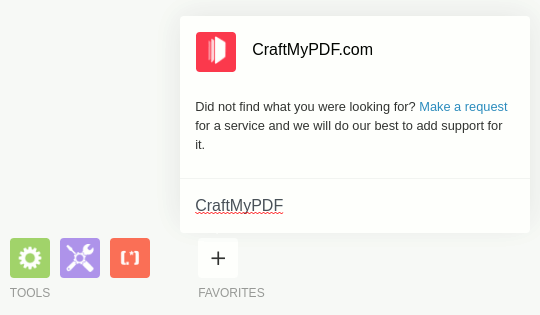
2. Configure the connection

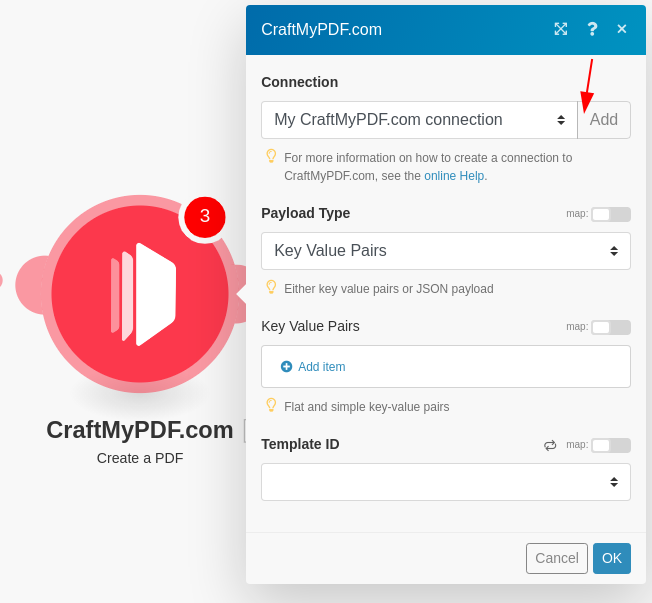
(iv) To create a PDF, Use Create a PDF module
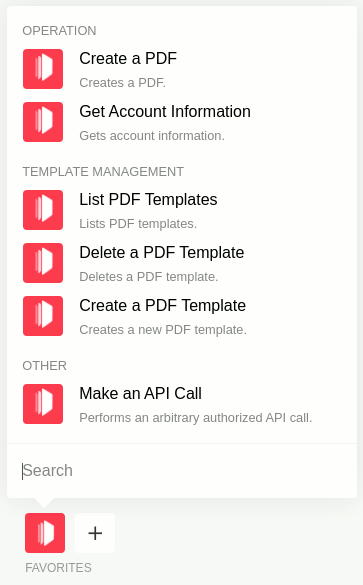
(v) Create a new CraftMyPDF.com connection. You may find the API Key on the API Integration Page. Click here to learn about how to obtain the API Key.
3. Configure payload and template

(vi)  Select a template and then choose a Payload Type, you can either use Dictionary(Key-value pairs) or JSON(Dynamic Data)

Types of payload data

There are 2 types of payload, you can either use a Dictionary(flat-structured JSON, key-value pairs) or JSON data.

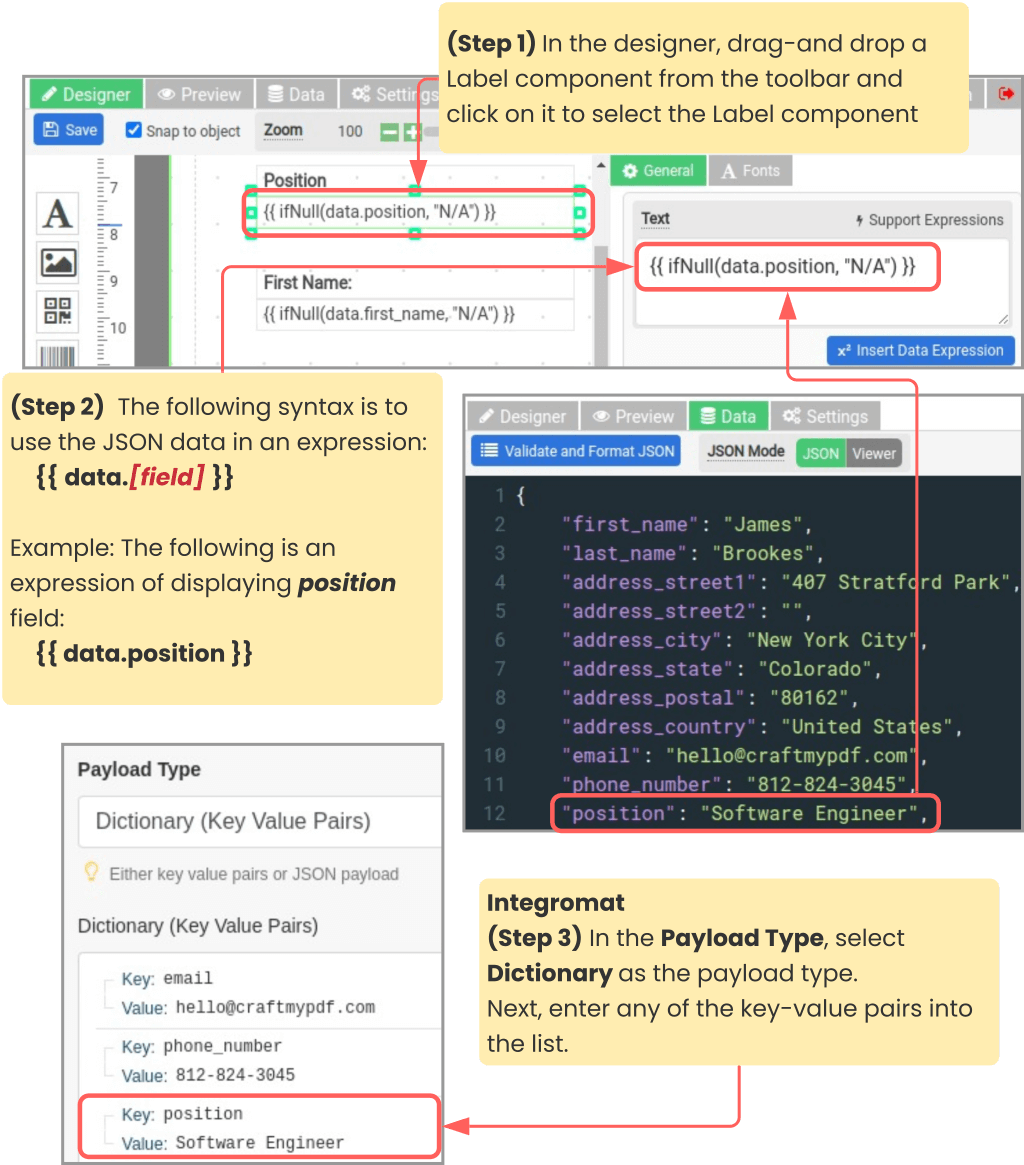
(i) Dictionary payload data

A Dictionary is a set of simple key-value pairs for flat-structured JSON. The followings are the steps to map JSON data to an expression and the payload on Make.com.
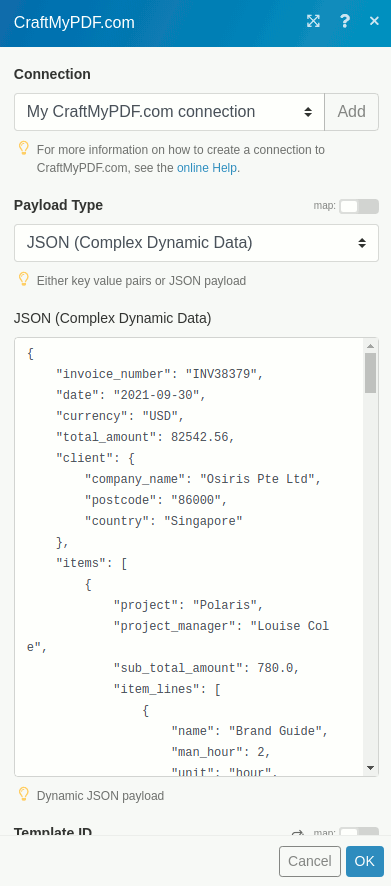
(ii) JSON payload data

JSON payload is for complex hierarchical data
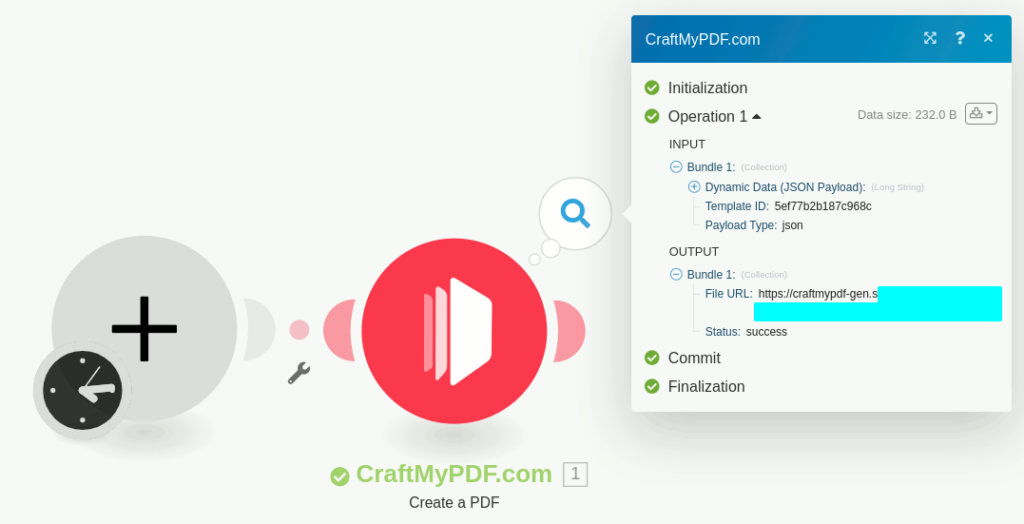
4. Run the scenario

(vii) Run the scenario
Recent Posts
blog

The Best 7 PDF Generation APIs for HTML to PDF in 2026

In this guide, we’ll compare 7 popular PDF Generator API options for 2026 with a practical lens: features, pricing, integrations, and the features that matter day-to-day.

By the end, you should have a clear short-list of one or two tools to try first and you can validate it quickly by generating a real invoice or report from your own data.

Read More »
blog

6 Best PDF Generation APIs in 2026

From invoices, receipts, certificates, and contracts to financial statements, reports, and internal documents, PDFs remain the most widely accepted, portable, and audit‑friendly document format.

This article covers the 6 best PDF generation APIs, with real‑world positioning, pricing, strengths, weaknesses, and guidance on when to use each.

Read More »
blog

How to Generate a PDF Document using Zapier AI Agent and CraftMyPDF

In this article, you will learn how AI agents work, how to build and use Zapier AI Agents to automate tasks such as, generating PDFs using CraftMyPDF and extracting data from Airtable.

You will also see how Zapier AI Agents are different from normal Zaps, how they automate decisions, and when it makes sense to use an AI agent instead of a standard automation.

Read More »
blog

How to Automate PDF Reports With Knack and CraftMyPDF

Knack is a no-code platform that makes it simple to build custom database applications (no programming required). It’s a favorite for many businesses because it keeps all their data organized and easy to manage in one place.

In this article, you will learn how to automate reports with Knack and CraftMyPDF.

Read More »
Copyright ©2026 CraftMyPDF.com

Email us at hello@craftmypdf.com for support